Your project, in focus.Explore the details
What we can help with.
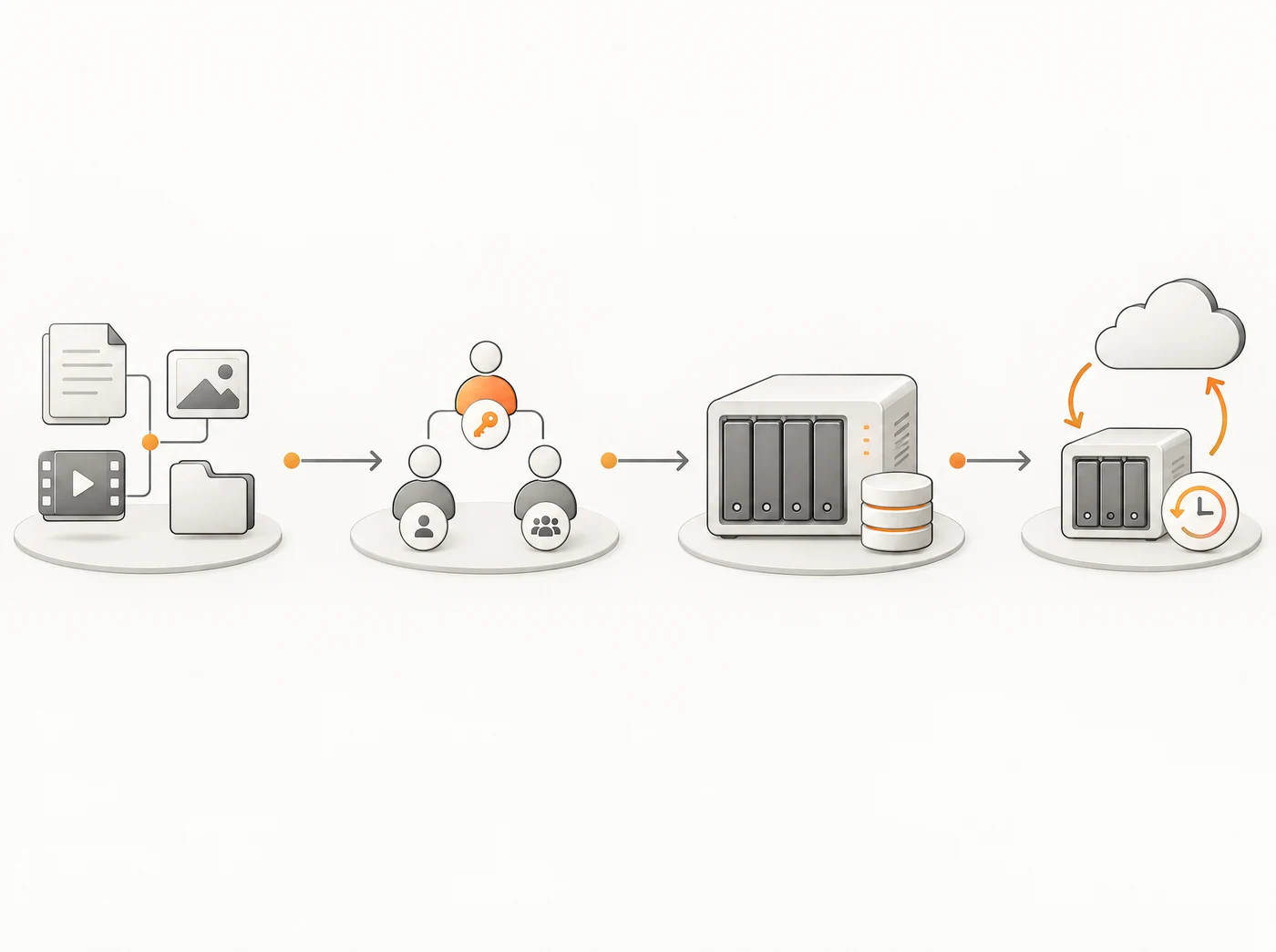
- Shared files, supported applications or storage within a backup plan.
- Agree capacity, permissions and recovery needs before choosing disks.
Scope and site details
- The storage proposal should identify usable capacity assumptions, supported disks, permissions and backup responsibilities.
- Data migration, remote access and application hosting are separate tasks to specify.
- A RAID arrangement does not replace recovery planning.
- Decide which files need additional copies and where those copies will be kept, with a practical process for checking they remain recoverable.
What matters for your job.
- Disk redundancy and backup perform different jobs.
- A resilient disk arrangement does not by itself protect against deletion, theft or every system failure.
- Consider separate backup copies and a tested recovery process.
Before we visit.
- Current data size and expected growth
- Users and access groups
- Existing data and migration needs
- Recovery and backup objectives
More to consider
- Estimate current data, growth and the people or systems that need access.
- Identify sensitive information and remote-access requirements.
- Agree ownership, update responsibility and how a restore will be tested.
A clear handover.
- Demonstrate user permissions and a sample restore from the agreed backup arrangement.
- Record who maintains accounts, updates and backup checks.
- Keep recovery information separate from the storage device so it remains available if the device is inaccessible.
Is a NAS automatically a backup?
- Only if it is used within a defined backup process.
- Files stored solely on the NAS remain a single primary copy, even when the enclosure contains multiple disks.
Can files be accessed remotely?
- Supported remote access may be available, depending on the system, data and users.
- Agree account protection, updates, network settings and recovery responsibilities. Test the intended permissions before relying on outside access.