Your project, in focus.Explore the details
What we can help with.
- Connect door or gate stations to answering devices and, where suitable, an entry-release function.
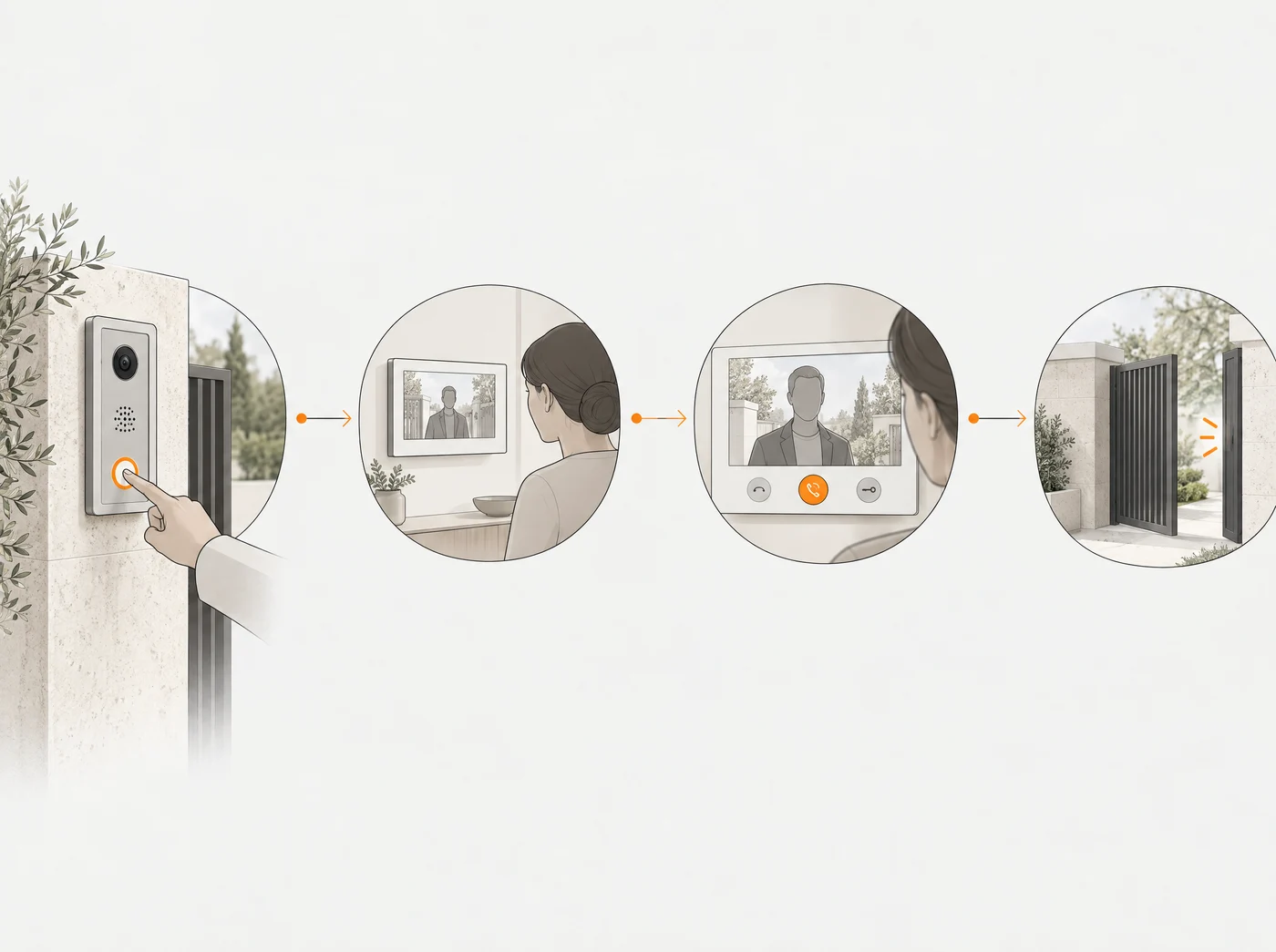
- Plan the visitor’s arrival, who answers and what happens when a call is missed.
Scope and site details
- Define the call destinations, door or gate release interface and required answering devices.
- Network cabling, new indoor stations and gate-controller work may be separate elements.
- If an existing intercom serves several units, assess the shared system before replacing an individual station.
- Remote answering should include a clear account and subscription arrangement where applicable.
What matters for your job.
- Audio quality, camera view and answering locations matter more than screen size alone.
- Consider indoor stations, mobile answering and what happens during an internet interruption.
- Gate distance and existing cabling can affect equipment choice.
Before we visit.
- Entry location and cable route
- Existing intercom or gate models
- Who answers during each time period
- Desired indoor and mobile devices
More to consider
- Identify who answers during and outside business hours.
- Share entrance photos and any existing gate or door-release equipment.
- Agree permissions for remote unlocking and test the complete call-and-entry sequence at handover.
A clear handover.
- Make a call from the entrance, answer from every agreed destination and test authorised release if included.
- Check audio and the visitor view under normal conditions.
- Explain missed calls, mobile notifications and the behaviour when the required internet or power connection is unavailable.
Can an intercom answer on a mobile phone?
- Many systems support mobile answering, subject to their network, app and account requirements.
- Confirm ongoing fees, user limits and outage behaviour before selecting a model.
Can an apartment’s intercom be changed independently?
- It depends on the shared system, compatible equipment and common-property permissions. An indoor station may need to match central building equipment.
- Check the model with your strata or building contact before purchase. A standalone home system may not suit an apartment installation.