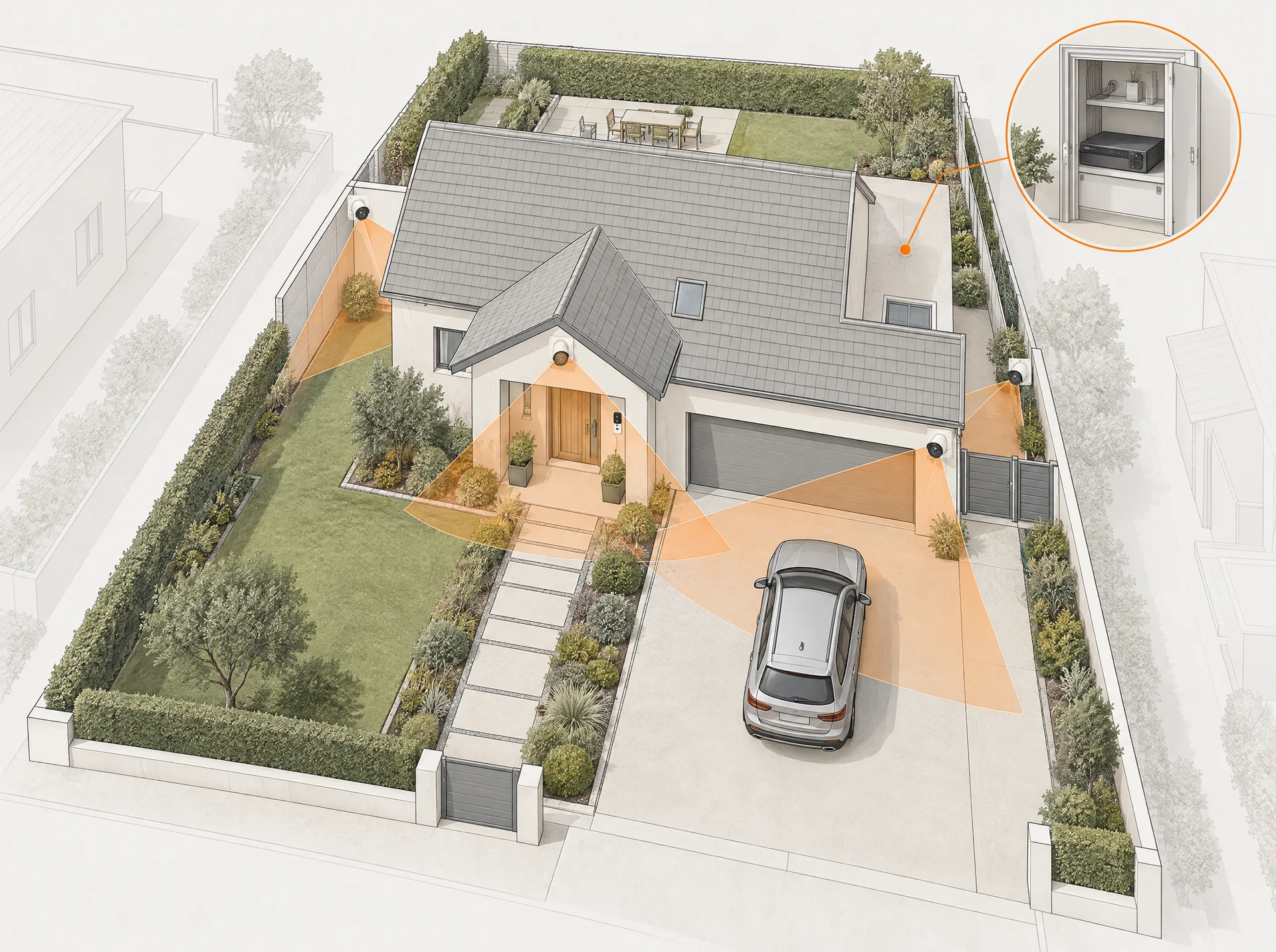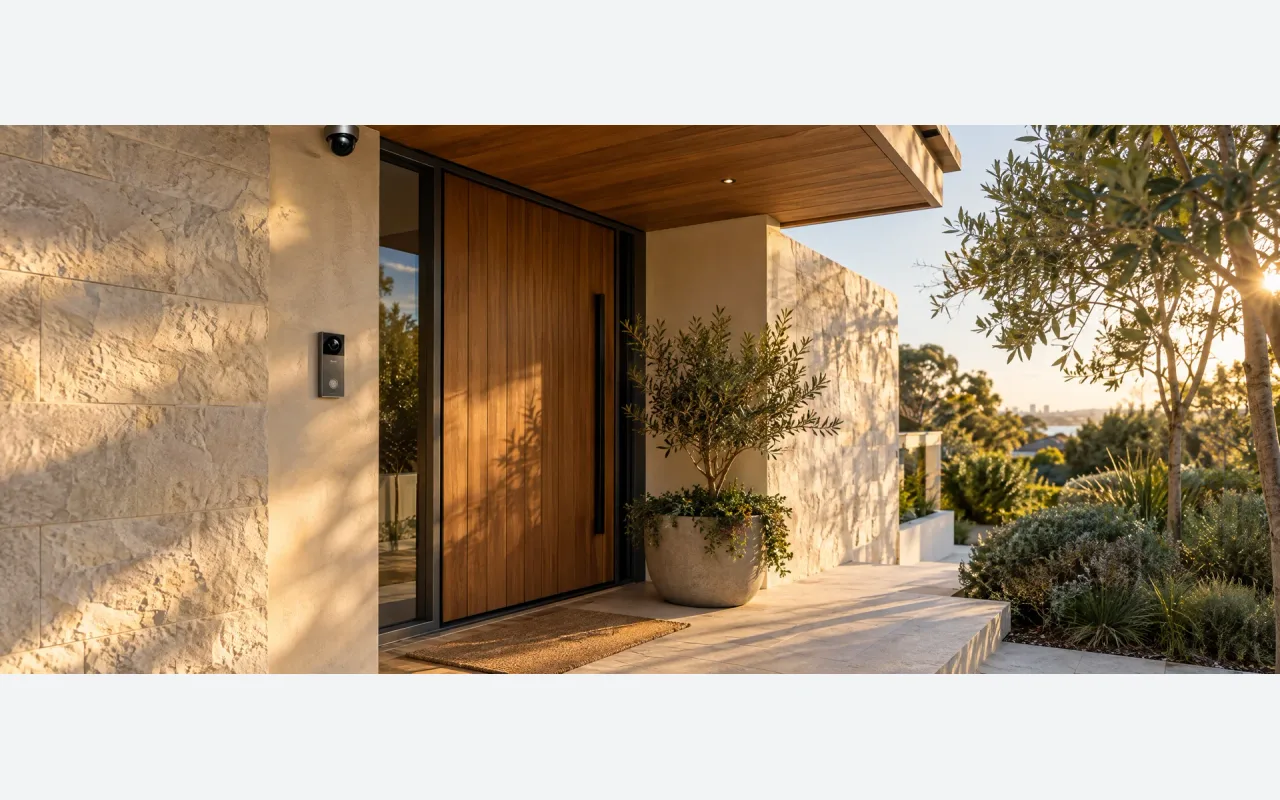
Start with a walk around the property
List the front door, garage, driveway, side paths and outdoor areas you want to understand better. For each location, write down the task: recognise a visitor, see a delivery arrive, check a gate or review an event. Those tasks help determine camera positions and entry equipment.
A large camera count does not guarantee useful coverage. A wide view may show an entire yard while providing limited detail at the entrance. The design should explain what each camera is intended to show.
Plan cameras for the actual light and sightline
Look at the site during the day and after dark. Roof eaves, windows, vehicle headlights and garden growth can change the view. Camera height, lens choice and available light need to suit the subject distance.
Ask for the intended views to be checked after installation. Live video, recorded playback and an incident export are separate tasks worth demonstrating. No camera layout can guarantee that every future event will be captured.
Decide how visitors will enter
An intercom can let occupants speak to a visitor before opening a door or gate. Access control adds another set of decisions around credentials, door hardware and who can change permissions. The simplest workable process is often the easiest for a household to maintain.
Record who should answer calls, whether remote unlocking is needed and what happens when a phone is unavailable. Existing door or gate equipment needs a compatibility assessment.
- Cameras: the view required at each position.
- Intercom: who answers and where.
- Entry control: approved users and fallback access.
- Recording: retention objective and authorised viewers.
Keep ownership and privacy clear
The property owner should understand where recordings are stored and who controls the accounts. Use individual authorised access where supported and retain the recovery information securely. Consider neighbouring windows, shared paths and other people’s privacy when positioning cameras.
The relevant privacy and surveillance obligations depend on the use and circumstances. The OAIC guidance is a starting point for reviewing those questions, particularly when cameras are used for a business or shared premises.
A useful camera brief describes the event
For a front entrance, the question may be whether you can recognise the person approaching the door. At a driveway, it may be whether a vehicle arrived or where a delivery was left. A single wide overview can serve one task while missing detail needed for another. Write the intended event beside each proposed view so the installer can explain the choice of position and equipment.
Consider the finished garden as well as the building. A gate opening, a growing hedge or a parked vehicle may obscure the intended subject. Ask how the view will be checked in the conditions that matter, including the site’s normal evening lighting. This is a design brief, not a promise that every event will be identifiable.
Separate recording, remote access and notifications
Recording preserves footage for later review. Remote access lets an authorised person reach the system from elsewhere. Notifications tell that person that a selected event may have occurred. They are related functions, but each has different requirements and should be demonstrated separately.
Describe how long footage needs to remain useful, the areas recorded and the events you want to review. Storage depends on the agreed system configuration and actual recording behaviour, so ask for the assumptions behind a retention estimate. For notifications, choose the events that deserve attention rather than enabling every alert and hoping the household will monitor them all.
Agree what happens when a connection or device fails
Ask the installer to explain the proposed system’s behaviour if the internet connection is unavailable, a phone is replaced or a component loses power. The answer depends on the equipment and configuration. Local recording and off-site viewing may behave differently, and any backup power needs its own defined scope.
A practical handover uses ordinary household tasks: answer the intercom, review a recent event, export a selected clip and remove an old user. Confirm who owns the main account and where recovery information will be kept. If a task needs an ongoing subscription or third-party service, identify that dependency before approving the proposal.
- Intended view or entry task at each position.
- Recording mode and retention assumptions.
- Authorised viewers and account owner.
- Expected behaviour during internet or power interruption.
- Demonstrated playback, export, notifications and user changes.
Prepare a useful enquiry
Send a rough property plan, photos of priority areas and details of existing cameras or network equipment. Include the suburb and explain whether the property is occupied, being renovated or newly built. Ask the proposal to identify equipment, cabling, recording, administration and handover so you can compare the complete system.