Your project, in focus.Explore the details
What we can help with.
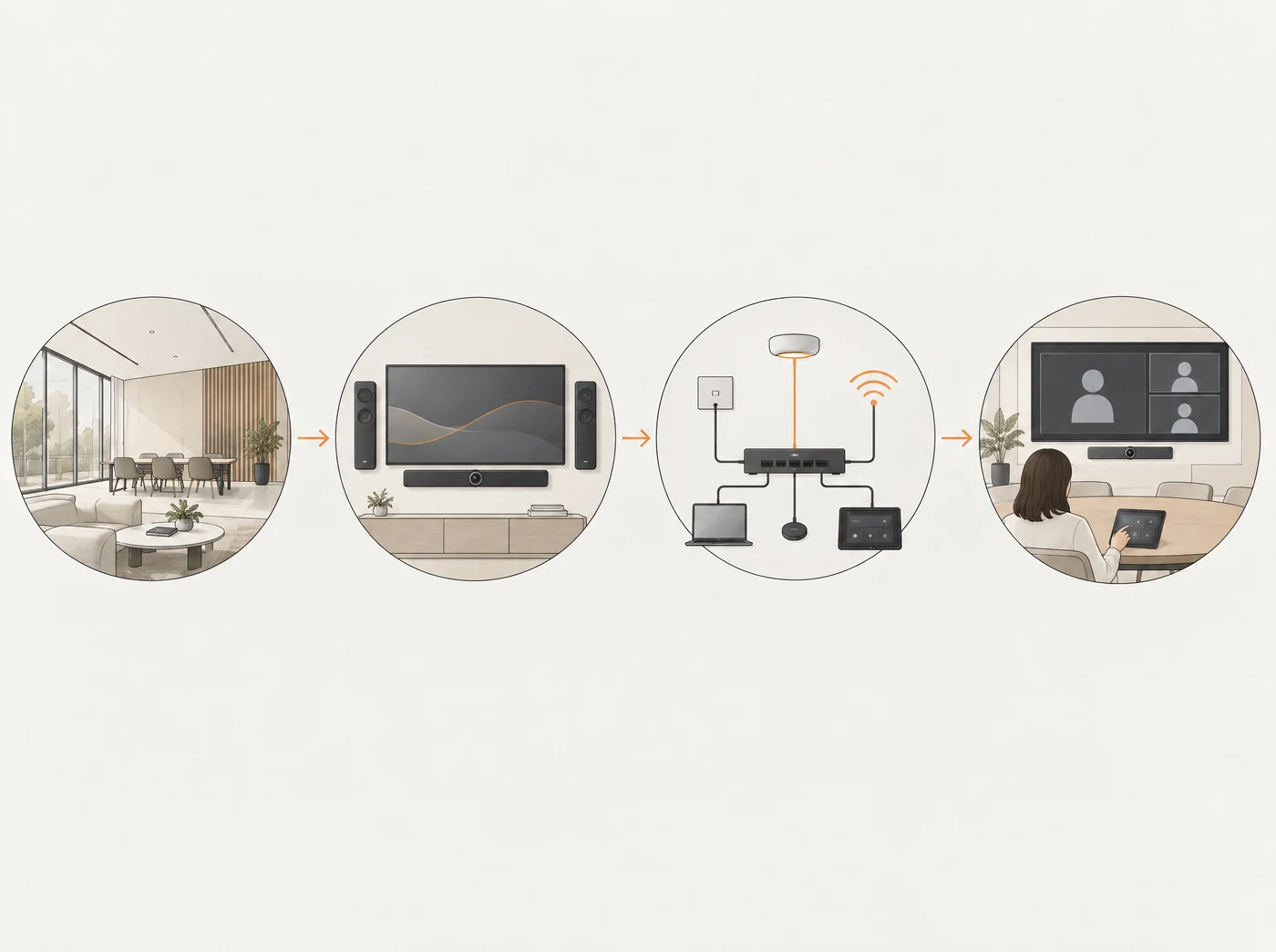
- Connected displays and AV for meeting rooms, presentations and business spaces.
- Agree source devices, controls, sound requirements and cable routes.
Scope and site details
- Specify displays, mounts, microphones, speakers, control equipment and network requirements.
- Building work, subscriptions and content management should be separate inclusions.
- Glare, room acoustics and furniture position can limit a technically connected system.
- Provide a simple supported workflow for staff, with a fallback when a visitor’s device or preferred wireless method is incompatible.
What matters for your job.
- Screen size alone does not define a usable meeting room.
- Viewing distance, glare, microphone coverage and connection compatibility matter.
- Casting and shared-room devices may also need specific network permissions.
Before we visit.
- Room dimensions and furniture plan
- Meeting or presentation platforms
- Typical source devices
- Mounting, sound and control preferences
More to consider
- Describe the room use and conferencing or presentation platforms.
- Provide furniture plans and mounting preferences.
- Agree who supplies content, accounts and subscriptions, and test the complete user workflow.
A clear handover.
- Demonstrate a complete meeting or presentation from the users’ devices, including the fallback connection.
- Check audio, camera view and control ownership.
- Record supported platforms and any subscriptions so the room’s capability is clear to staff and visiting presenters.
Can every visitor present wirelessly?
- Compatibility varies by device and platform.
- A supported wired option can provide a useful fallback, and guest-network access needs to be considered in the design.
Can one room support several conferencing platforms?
- It may, depending on hardware and how users connect. Compare a dedicated room system with a bring-your-own-device setup.
- Test the platforms your business uses and agree a fallback. Future device or software changes may need fresh compatibility checks.